

Holiday Marketing
KW Exclusive Properties Agent Resources
Holiday marketing, ready to go.
Download the email, grab the graphic, and send.
Import an HTML email
View instructions on KW AnswersCreate or schedule a social post
View instructions on KW AnswersEmail & graphic downloads
Choose a holiday and download what you need.








Fastest option
Get every email at once.
Add the SmartPlan to copy the complete pack into your Command account.
1
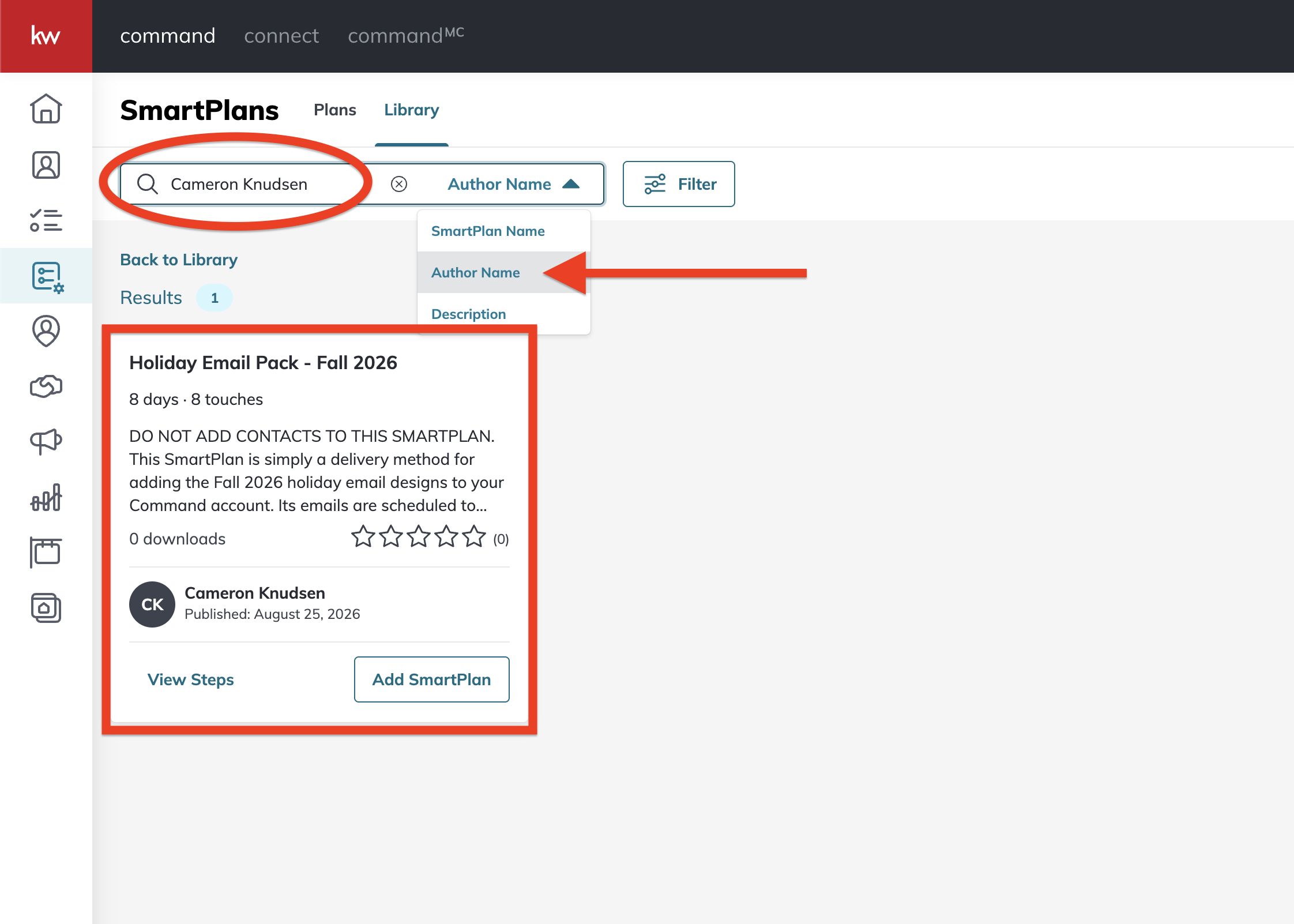
Open the SmartPlans Library in Command.
2
Change the search type to Author Name.
3
Search for Cameron Knudsen.
4
Find Holiday Email Pack – Fall 2026 and select Add SmartPlan to download it.
Do not add contacts to this SmartPlan. It is only a download tool; its emails are scheduled one day apart.
Need a caption too?
Pick a holiday, shuffle, and copy.
Caption 1 of 4
Here’s to a well-earned long weekend! Wishing you a relaxing Labor Day filled with sunshine, good company, and a little extra time at home. 🇺🇸

Want something different?
Create your own in Canva for KW.
Find a KW template or make your own graphic.
Open Canva for KW